
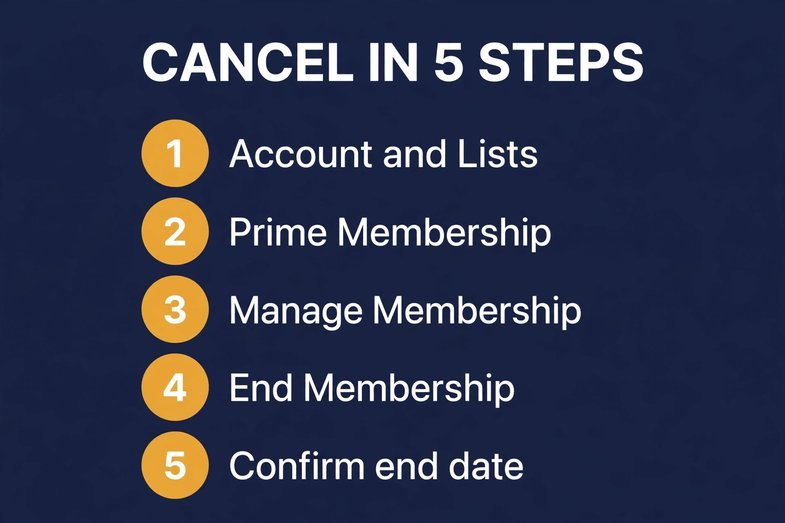
You can cancel Amazon Prime in about two minutes: Account & Lists, Prime Membership, Manage Membership, End Membership, then click through the “are you sure” screens until Amazon shows your end date. That is the whole thing, I promise. Below is everything the quick tutorials leave out: when you actually get money back, the screens Amazon uses to slow you down, and an FTC refund a lot of people do not know exists.
Cancel on Desktop
- Sign in. Hover Account & Lists (top right), click Prime Membership.
- Right side: open Manage Membership.
- Hit End Membership. Sometimes it hides under “Update, Cancel and more.” Same button, one extra click. Annoying, not fatal.
- Now comes the gauntlet. Amazon will show you everything you are losing, offer to pause, offer to remind you later. Smile and keep clicking Continue to Cancel. None of the other buttons cancel anything.
- Last screen: End on [your renewal date]. Confirm. Screenshot it. Trust me.
Benefits keep running till that date. Then silence.
Cancel in the App
Profile icon at the bottom. Manage Prime Membership. Manage Membership. End Membership. Same retention screens, smaller screen. Done.
The Retention Screens Will Test You
Quick warning, because this gets people: Amazon does not hide the cancel button. It just makes you walk past three “please don’t go” screens to reach it. Rule of thumb: if the button does not say Continue to Cancel or End Membership, you have not canceled. And Pause is not cancel. Pause just moves your renewal date. The charges continue. I have seen people “cancel” through Pause and get billed for another year. Do not be that person.
Free Trial? Slightly Different Button
Same path. The button just says Do Not Continue instead. Kill it before the trial ends, pay nothing. If it already flipped to paid in the last 3 business days, you are inside the full-refund window. Lucky timing, honestly.
Billed Through Google Play or Apple?
Then Amazon cannot cancel it for you. Go to the source:
- Google Play: Play Store, profile icon, Payments & subscriptions, Subscriptions, Amazon Prime, Cancel.
- Apple: Settings, your name, Subscriptions, Prime, Cancel.
Miss this step and the charge comes back next month like nothing happened. People miss it all the time.
Refunds: Two Rules, No Mystery
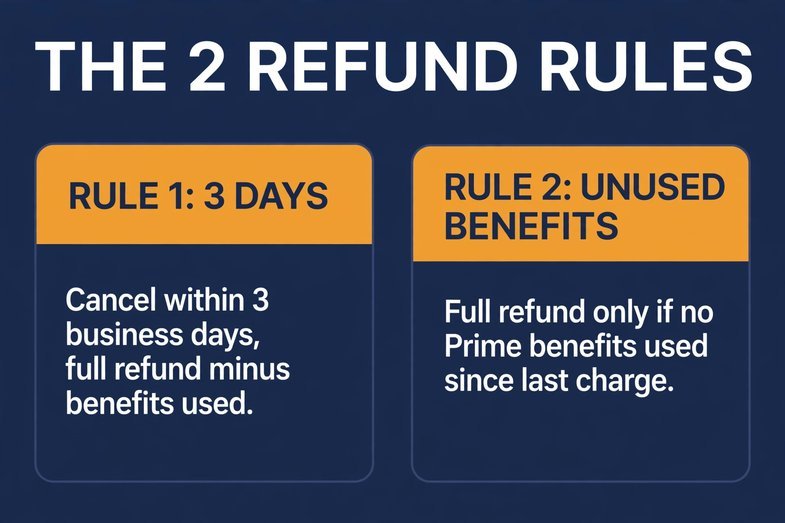
Rule 1: 3 business days. Cancel within 3 business days of signing up (or of a trial converting to paid) and you get the full fee back, minus the value of any Prime perks you used in those three days. Free shipping on day two? That comes out of the refund.
Rule 2: after that, only if you never touched anything. A full refund of the current period happens ONLY if nobody on the account used a single Prime benefit since the last charge. One Prime Video stream, one Prime-shipped order, and this door closes. The cancel page shows you what you are getting before you confirm, so no surprises there.
Also worth knowing: gift or promo memberships are never refundable. Refunds land in 3 to 5 business days. Monthly plan canceled mid-month with benefits used? No refund, but everything keeps working till your billing date.
What Disappears, What Stays
Gone: fast free shipping, Prime Video, Music, Reading, Gaming, the exclusive deals. Stays: your account, your order history, every purchase you ever made. Canceling Prime deletes nothing. Kill Prime Video Channels separately under Memberships & Subscriptions, or they will linger.
Check This: The FTC Settlement
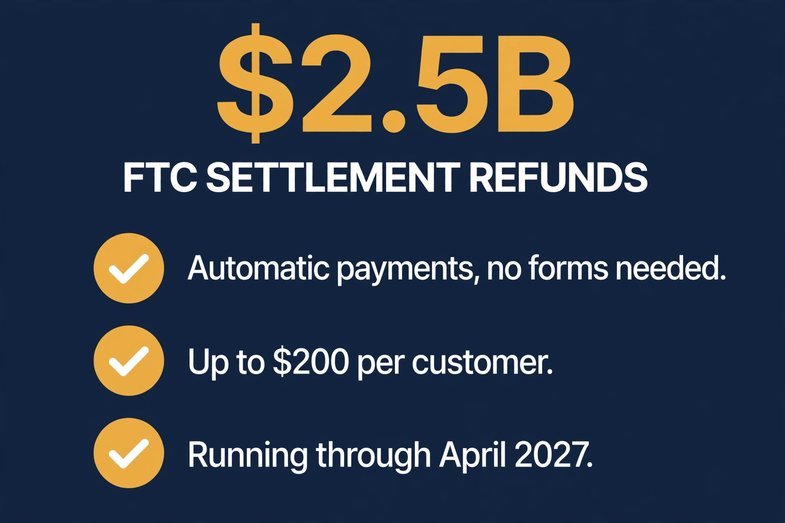
$2.5 billion. That is the FTC settlement with Amazon over shady Prime signup and cancellation tricks. Automatic payments started November 2025, over $845 million out by September 2026, running through April 2027.
No forms. No claims. If you were a US Prime customer pulled in through one of the challenged enrollment flows (or you tried to cancel online and could not get through) between June 2019 and June 2025, and you used 20 or fewer Prime benefits in the year after signing up, up to $200 comes to you by check, PayPal, or Venmo. The FTC’s Amazon Refunds page has the details. Two minutes to check. Real money.
Selling on Amazon? Different Story
Canceling Prime as a shopper does not touch a seller account. Separate universe entirely. And if selling is on your mind, Amazon’s ungating requirements for 2026 is where that journey starts.
Want help building the selling side? SupplyCore USA works with wholesale sellers on ungating, supplier verification, and Amazon compliance paperwork. Book a free consultation and we will map your path.
Can you really cancel Amazon Prime anytime?
Yes. No lock-in, no penalty. Day one or day 300, same process. Only the refund math changes with timing.
How do I cancel my Amazon Prime online?
Amazon.com, Account & Lists, Prime Membership, Manage Membership, End Membership. Click through till you see the end date. Two minutes.
How do I stop Amazon Prime from automatically paying?
Cancel. That is the switch. There is not a separate one. “End on [renewal date]” keeps Prime till expiry with no next charge.
How can I permanently cancel my Amazon Prime membership?
There is no temporary version. Confirm End Membership and it is done. Account and history stay. Benefits stop on the shown date.
How do I deactivate my subscription on Amazon Prime?
Prime itself: the cancel steps above. Add-ons like Video Channels: Account & Lists, Memberships & Subscriptions, cancel each one.
Is it worth it to cancel Amazon Prime?
Do last year’s math. Weekly orders plus streaming? It pays for itself at $139 a year. Three orders and no Video? You know the answer.